23 · Selection and Orders
Select and command a group of units without a hero: clicks and boxes, orders in formation, attack-move, hold position and control groups, against two enemy camps. RTS, squad and party games build on the same pieces.
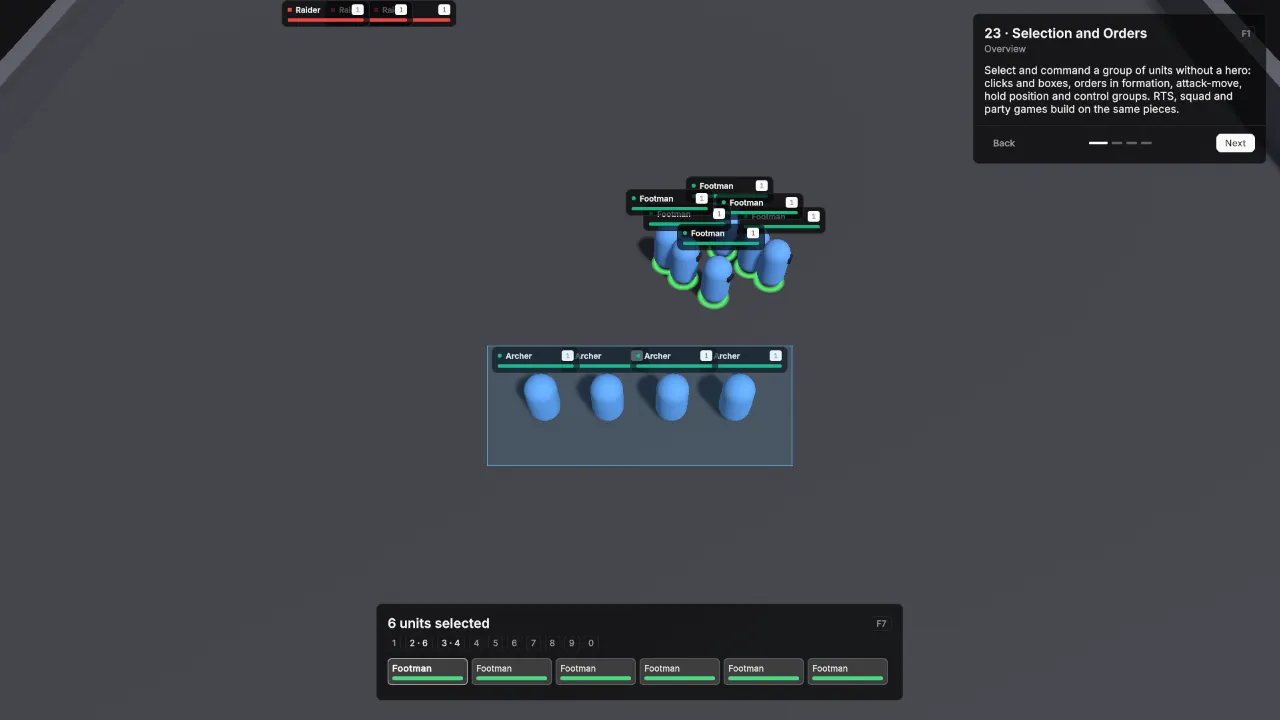
Scene Scenes/23_SelectionOrders. Assets Content/23_SelectionOrders and Content/Shared.
What it teaches
- A scene does not need a player unit. A commander object with selection, orders and control groups controls every unit of its side.
- Takes Orders on a unit definition is all a unit needs to be commanded.
- Group moves spread over a formation, attack-move fights on the way, and a held unit never chases.
- Control groups save and recall selections, and move the camera on a double tap.
Assets
Every definition uses the demo defaults unless listed: one HP pool without regeneration, Physical damage in Channel Melee, Attack Range 2, Attack Interval 1, Move Speed 5, and the shared BasicAttack.
| Asset | Settings |
|---|---|
| Footman | Id unit.footman, Faction Player, HP 180, Min / Max Damage 10 / 14, Aggro Range 7, Takes Orders on. |
| Archer | Id unit.archer, Faction Player, HP 110, Min / Max Damage 12 / 16, Damage Channel Ranged, Attack Range 8, Attack Interval 1.4, Projectile prefab ArcaneProjectile at Speed 20, Aggro Range 9, Takes Orders on. |
| Raider | Id unit.raider, Faction Enemy, HP 150, Min / Max Damage 8 / 12, Move Speed 4.5, Aggro Range 7, Use Hostile AI on. |
| Brute | Id unit.brute, Faction Enemy, HP 420, Min / Max Damage 18 / 24, Attack Interval 1.6, Move Speed 3.5, Aggro Range 6, Use Hostile AI on. |
Scene
Ground 56 × 56.
| Object | Setup |
|---|---|
| Main Camera | VtTopDownCamera with Enable Edge Scroll on, Default Height 18, Max Height 30 and Initial Target Base. |
| Base | Empty object at (0, 0, -14). The camera starts here, and Space returns to it. |
| Commander | Empty object at (0, 0, 0) with VtUnitSelection, VtSelectionIndicator with Style set to the SoftRing preset, VtOrderInput and VtControlGroups, otherwise at their defaults. |
| Army | Six Unit prefabs with Footman at x -5, -3, -1, 1, 3 and 5 on z -12, and four with Archer at x -3, -1, 1 and 3 on z -16. VtDemoReviveAfterDeath 10 seconds, Return To Start on. |
| West camp | Five Unit prefabs with Raider at (-16, 0, 10), (-13.8, 0, 10), (-11.6, 0, 10), (-16, 0, 12.2) and (-13.8, 0, 12.2). |
| East camp | Three Unit prefabs with Raider at (12, 0, 14), (14.2, 0, 14) and (16.4, 0, 14), and two with Brute at (13, 0, 17) and (15.2, 0, 17), scaled 1.35. |
| Demo UI | Lesson card and VtSelectionPanel with Selection and Control Groups set to the Commander components and Region Bottom Center. |
Every camp unit has VtDemoReviveAfterDeath 20 seconds, Return To Start on.
Build it yourself
- Build the Unit prefab and ArcaneProjectile as in Build the prefabs. This scene does not use the Player prefab.
- Create the four unit definitions with Create → Vantage → Units → Unit Definition and the values above.
- Build the scene as in Build the shared layout with a 56 × 56 Level.
- GameObject → Create Empty, name it Base, at (0, 0, -14). On the Main Camera, set VtTopDownCamera Initial Target to Base and turn on Enable Edge Scroll.
- GameObject → Create Empty, name it Commander. Add Component → Vantage → Selection → VtUnitSelection, VtSelectionIndicator and VtControlGroups, then Add Component → Vantage → Orders → VtOrderInput. Drag the SoftRing preset from
Packages/Vantage/Runtime/Core/Selection/Presetsinto the indicator’s Style. - Drag Unit prefabs in at the positions above and set each one’s Definition.
- Press Play, drag a box around the army and right-click the ground.
Try
- Drag a box around your army and right-click the ground: the units move in formation.
- Right-click an enemy to attack it. Press A and left-click the ground to attack-move into a camp.
- Press S to stop and H to hold position: held units only fight what is in reach.
- Ctrl+1 saves the selection as group 1. Press 1 to select it again, twice to move the camera there. Shift+2 adds to group 2.
- Double-click an Archer to select every Archer on screen.
- Move the mouse to the screen edge to scroll, press Space to return to the base.
In your own game
- Set Viewer Faction on the selection to the side the local player commands.
- Widen Formation Spacing on VtOrderInput for larger unit models.
- See Orders and control groups for the order rules and the runtime calls.