Earnback
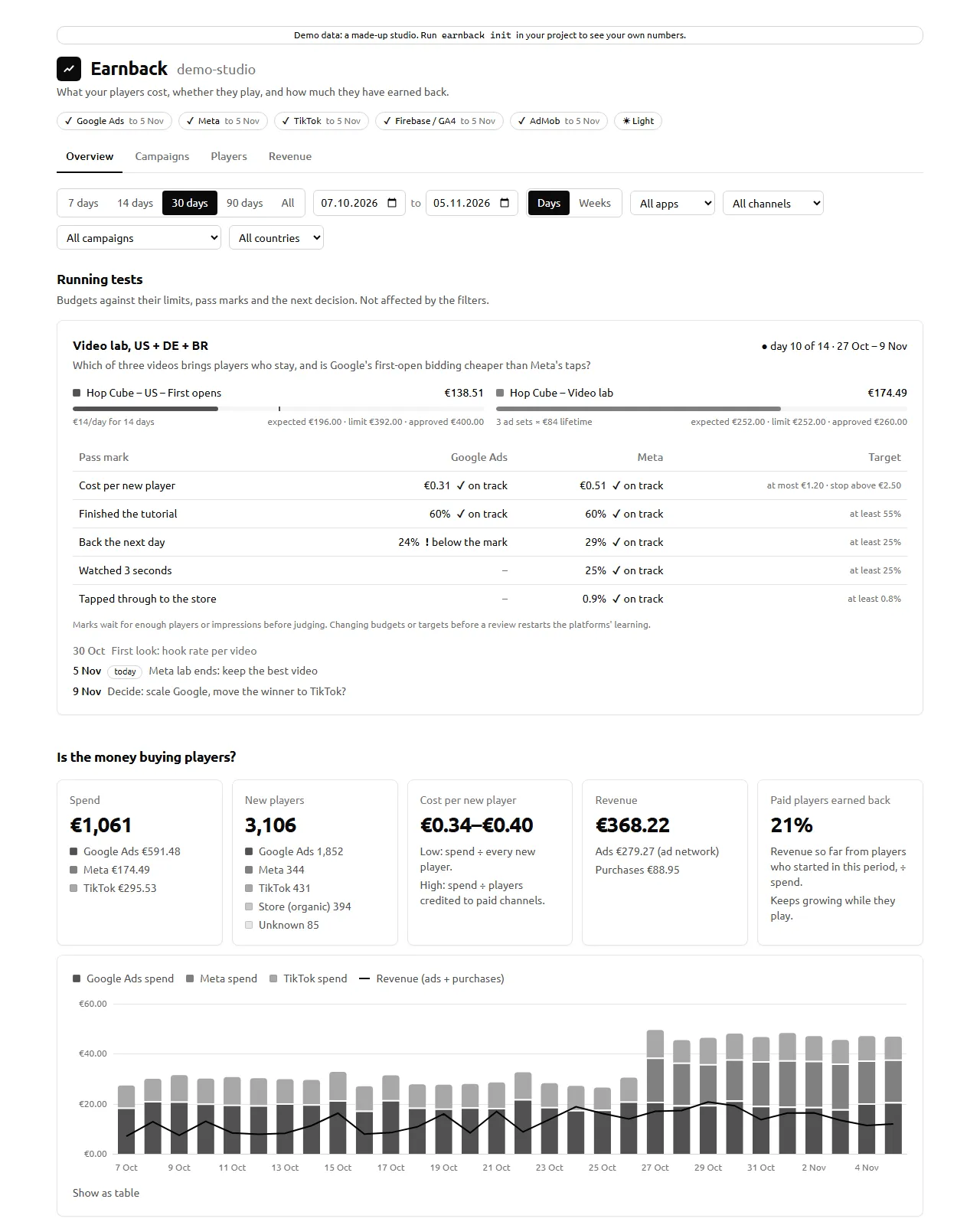
Earnback is a local-first dashboard for indie game and app studios that buy ads. It answers four questions:
- What did my players cost, per channel, campaign, video and country?
- Do they open the game, play and come back?
- How much have they earned back through ads and purchases, and how fast?
- Is the test I’m running on track: budget, pass marks, next review?
How it works
- Sync.
earnbackreads your ad spend (Google Ads, Meta, TikTok, CSV files), your players (Firebase / Google Analytics 4) and your revenue (AdMob, in-app purchases) with your own API access, and keeps them in a SQLite file in your project folder. - Report. It writes one self-contained HTML file and opens it: an Overview with your running tests, Campaigns (down to each video), Players (funnel, retention), Revenue (payback per channel) and, with several games, a Portfolio page.
- Digest (optional). Once a day, a short message goes to Telegram, Slack, Discord or ntfy: yesterday’s spend and players, how each test is doing, and alerts when a budget limit is crossed, a campaign stops delivering or tracking breaks.
Principles
- Local-first. No account, no server, no telemetry. Data stays in
.earnback/inside your project folder; API keys stay in your user config folder. - Read-only. Earnback never changes a campaign, a budget or a setting on any platform.
- Honest numbers. Every figure knows which filters it can honour. When a number can’t be computed honestly, Earnback shows “–” and the reason instead of a guess. Platform-claimed conversions are never compared across channels. Cost per player is a range, not a false precise value. See Metrics.
- Bring your own API apps. You create your own Google Cloud project, Meta app and TikTok app. Earnback ships no shared keys.
- No runtime dependencies. Node’s own
fetch,node:sqliteandnode:crypto. The report is one HTML file with no network access.
Privacy
- Earnback talks only to the APIs of the sources you enable, with your own credentials, and only reads.
- The report is a local file. Its content security policy forbids network requests, so it can’t send anything anywhere. Secrets never enter it.
- Digests are the one thing that leaves your machine: a few aggregated lines (spend, player counts, rates, campaign and plan names) go to the service you connect and sit on that service’s servers. No per-player data exists in Earnback to send.
- No telemetry, no update checks.
Limits worth knowing
- Currencies are not converted. Keep your ad accounts and analytics in one currency; Earnback flags a source that reports in another.
- Players depend on your analytics. Players who decline analytics consent are missing, so cost per player for one channel is an upper bound. GA4 needs about two days to settle; the report and the digest say through which day each source is complete.
- Install attribution without an MMP comes from GA4’s first-user source. Google Ads links natively; Meta and TikTok players are recognised by their store referrer and are undercounted. See each source guide.
- TikTok is implemented against the documented Business API but not yet tested against a live account.
Next
- Getting started: install, your first project, configuration, tests with budgets, several projects, commands.
- Sources: one setup guide per platform.
- Daily digest: Telegram, Slack, Discord, ntfy.
- Metrics: what every number means and what it can’t show.
- Architecture: for contributors.